ANIME
Anime illustration prompt
Landscape 16:9: combine a character, seaside town and sunset into a complete illustration.
Learn more AK47Token
GUIDE / CREATE
Go from a description to a downloadable image. Follow two actual platform examples—an anime illustration and an e-commerce poster—through model selection, prompting, generation and cost checks.
ANIME
Landscape 16:9: combine a character, seaside town and sunset into a complete illustration.
Learn moreECOMMERCE
Portrait 4:5: specify products, text areas, materials and Chinese copy.
Learn morePRICE
These recorded runs charged 0.10 bullets per image, equivalent to CNY 0.10. Future charges depend on the current model, parameters and billing rules.
Learn moreSubject, scene, composition, lighting and purpose are easier to adjust than a stack of adjectives. Copy the original prompts below, or replace the subject with your own idea.
1K, 2K and 4K are workspace resolution tiers. Values such as 16:9, 9:16 and 4:5 are aspect ratios. Choose the tier for resolution and its associated price, and the ratio for composition. Actual output dimensions also depend on the model; a tier does not define one pixel size for every image.
| Decision | Where to look | How to choose or verify |
|---|---|---|
| Resolution tier | The workspace model and resolution controls | Check the tiers available for the model, then choose for your final use and budget. Do not assume every model supports 4K. |
| Aspect ratio | The workspace ratio controls | Consider 16:9 for a landscape wallpaper or 4:5 for a portrait poster. Leave room for cropping and text, and check model support. |
| Price before generating | The public models and prices page | Check the current quote for the same model, tier and relevant parameters. A guide's historical charge is not a current price. |
| Actual pixels | The downloaded image's properties | Check width × height against your display or layout requirements instead of relying only on the 1K, 2K or 4K label. |
| Final charge | The usage log at the generation time | Match the model, count, dimensions, quality and actual charge. Regenerating creates a new request and charge. |
Switching models requires more than changing model. Nano Banana 2, 2.1 and Pro use POST /v1/images/generations, with their own resolution, ratio and editing constraints. Both historical images below were generated with GPT Image 2.5; they are not Nano Banana test outputs.
| Parameter or operation | Current Nano Banana integration | When adapting a GPT example |
|---|---|---|
| model | nano-banana-2 / nano-banana-2.1 / nano-banana-pro | Choose an available version from the current catalog. The workspace family name is not an API model ID. |
| size | 1K / 2K / 4K | Use native tiers. GPT's 2880x2880 is not Nano's 4K tier. |
| ratio | 1:1, 16:9, 9:16, 4:3, 3:4; omitted or Auto uses 1:1 | The landscape example can use 16:9. Adapt the 4:5 poster to a supported portrait ratio and revise the composition. |
| quality and n | quality=auto, n=1 | Generate one image per request. Do not copy another model's quality tiers or batch count. |
| Reference-image editing | Not supported by the current Nano integration | The examples do not upload a reference image. Choose an explicitly compatible model when you need editing. |
| Pixels and cost | Verify the returned image and usage record | Check actual dimensions even with native tiers. The historical GPT charges do not apply to Nano. |
Sign in and open Generate. Both examples used GPT Image 2.5 (model ID: gpt-image-2.5) at the 1K tier. Check the current price in Models & prices, then choose an aspect ratio for the image's purpose.
Paste the example into Describe the image, check the model, 1K tier and ratio, then select Generate image. When the canvas shows Generated · saved to library, inspect the subject, composition, text and details.
Select Download to save the image to your device. In Logs, find the successful record by model and time, then check image count, dimensions, quality and cost.
These two platform runs from 11 October 2026 show how tier, ratio, output pixels and charge relate. Prices can change with the model, tier, quality and billing rules. The records are not a current universal quote or a guarantee of identical output dimensions.
| Example | Workspace parameters | Original output pixels | Logged charge |
|---|---|---|---|
| Anime illustration | 1K · 16:9 · auto · 1 image | 1536 × 864 | 0.10 bullets, equivalent to CNY 0.10 |
| E-commerce poster | 1K · 4:5 · auto · 1 image | 1024 × 1280 | 0.10 bullets, equivalent to CNY 0.10 |
Adjusting an actual result is easier than adding many conflicting requirements. Keep the model and parameters fixed, then change one subject, position, lighting or text condition at a time.
MADE WITH AK47TOKEN
These images were generated in AK47Token on 2026-10-11. Each is an actual individual output, resized and compressed only for web publishing, without retouching or rearranging text. Models are stochastic; the same prompt and parameters do not guarantee the same image.
REAL GENERATION / 2026.10.11
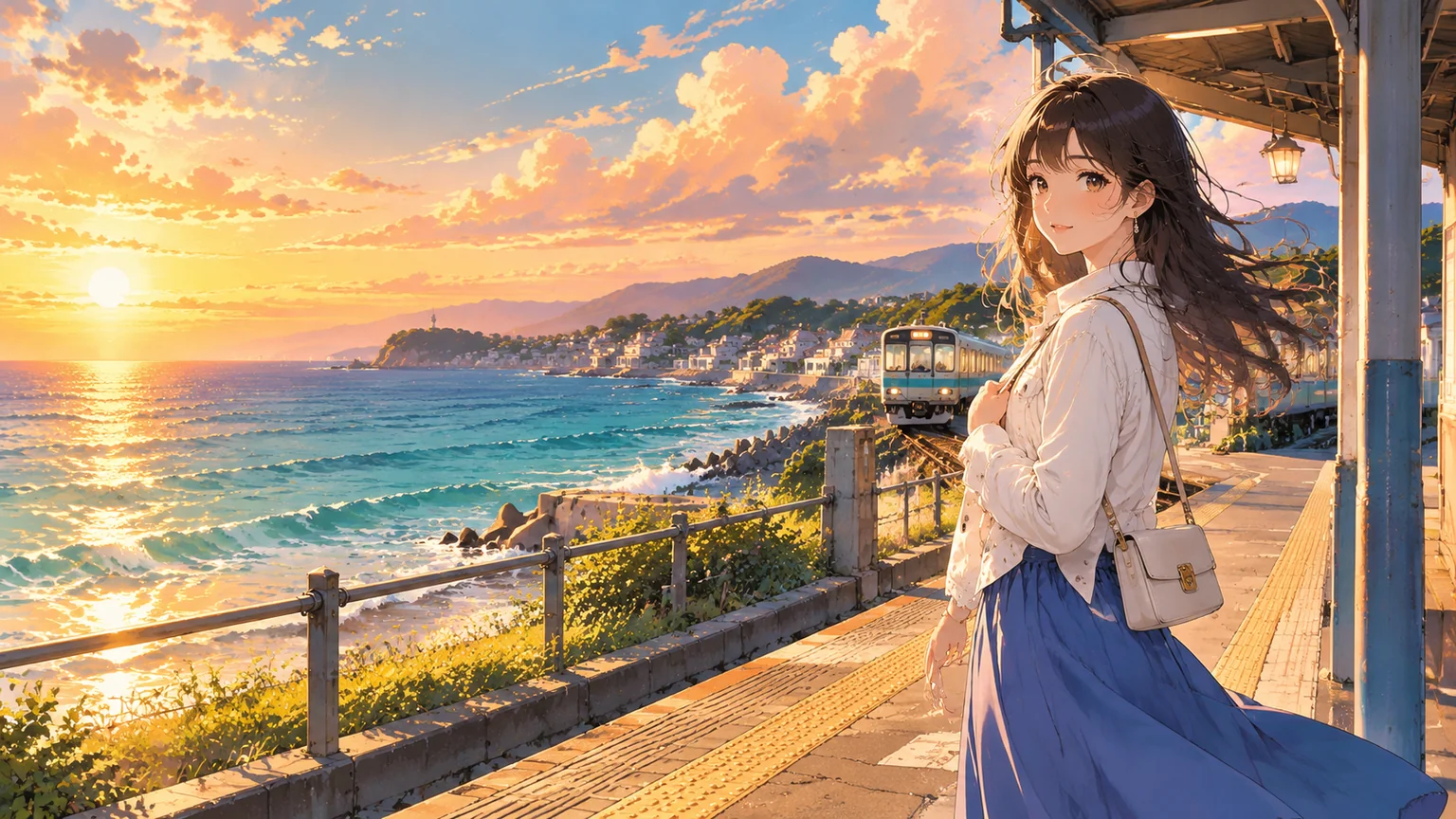
A landscape illustration with a clear subject and layered background. Specify position, clothing and lighting, and use 16:9 to leave room for the sea and town.
This is the recorded charge, not a permanently fixed price. Before generating again, check current model prices。
Open the image workspace, select the recorded model, resolution tier and ratio, paste the original Chinese prompt below and select Generate image.
原创二次元插画,横版16:9。主体是一位明确成年的女性旅行者,穿白色外套和蓝色长裙,背小肩包,站在海边铁路站台,人物放在画面右侧三分之一处,脸和上半身完整可见,衣着完整得体。傍晚的金色侧光,海风吹起头发,远处有小列车、海边小镇、蓝绿色海面和粉橙色积云。清晰细腻的线稿,手绘动画背景,前中后景有空间层次,人物比例自然,整体明亮温暖,适合横版壁纸。不要任何文字、标志、水印,不使用已有动漫角色。REAL GENERATION / 2026.10.11
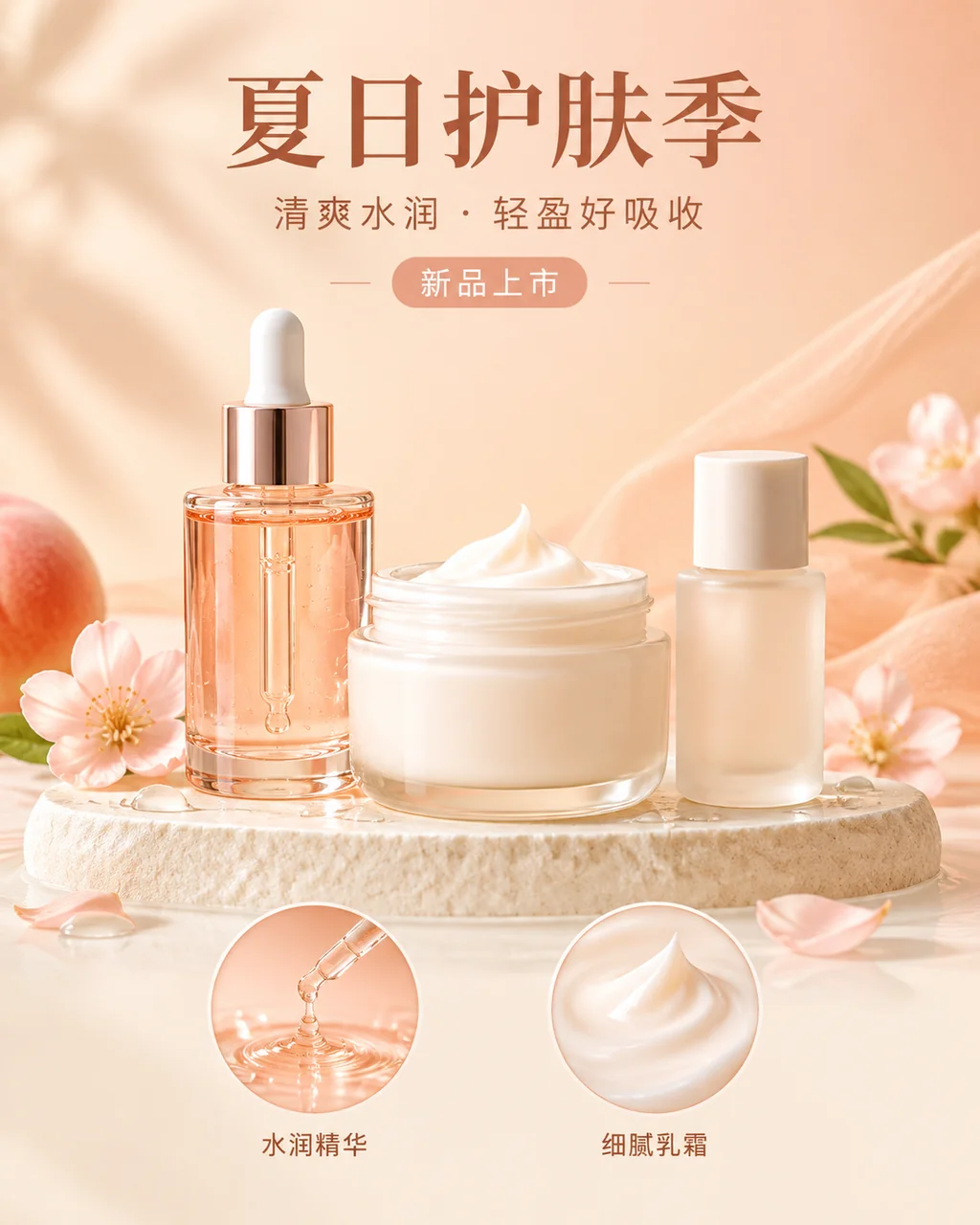
A complete promotional poster with products, Chinese headlines and texture details. Specify text and product areas, then provide exact copy so the result is more than a product still life.
This is the recorded charge, not a permanently fixed price. Before generating again, check current model prices。
Open the image workspace, select the recorded model, resolution tier and ratio, paste the original Chinese prompt below and select Generate image.
生成一张完整的原创电商护肤品宣传海报,竖版4:5,画面应让人一眼看出是商品宣传设计,而不只是静物照片。虚构的无品牌护肤品套装:一只透明蜜桃色滴管精华瓶、一只乳白色面霜罐、一只磨砂小瓶,产品完整摆在米白色展示台上,占画面下部中央。暖米色和浅蜜桃色背景,柔和棚拍侧光,细腻真实的玻璃、奶油和水滴质感。上方留出整齐的文字区,准确排版简体中文大标题“夏日护肤季”,副标题“清爽水润 · 轻盈好吸收”,小标签“新品上市”。下方放两枚精华滴液、面霜质地的圆形细节图,标签分别为“水润精华”“细腻乳霜”。字体清楚、层级分明、留白充足,像可用于网店首页的成品活动海报。不添加立即选购按钮、价格、折扣、品牌名、销量、功效承诺、认证徽章、水印或额外文字。FAQ
No. Repeated or conflicting instructions can pull a result away from your goal. Clear subjects and composition are usually easier to adjust than many style adjectives.
No. This guide reproduces the model, parameters and workflow, not an identical random output. It shows two individual actual outputs, not a composite of selected best results.
Resolution tier and aspect ratio are separate settings. The recorded 16:9 output is 1536 × 864 and the 4:5 output is 1024 × 1280; both use their corresponding 1K billing tier.
Not guaranteed. These runs on 2026-10-11 charged 0.10 bullets per image, equivalent to CNY 0.10 at CNY 1 per bullet. Model, tier, quality and price changes may affect future costs. Check the current price before generating and verify the log afterward.
This guide verifies text-to-image generation. The demonstrated interface has no reference-upload step. Check model and endpoint support separately for reference editing; a photo alone does not guarantee a matching appearance.